
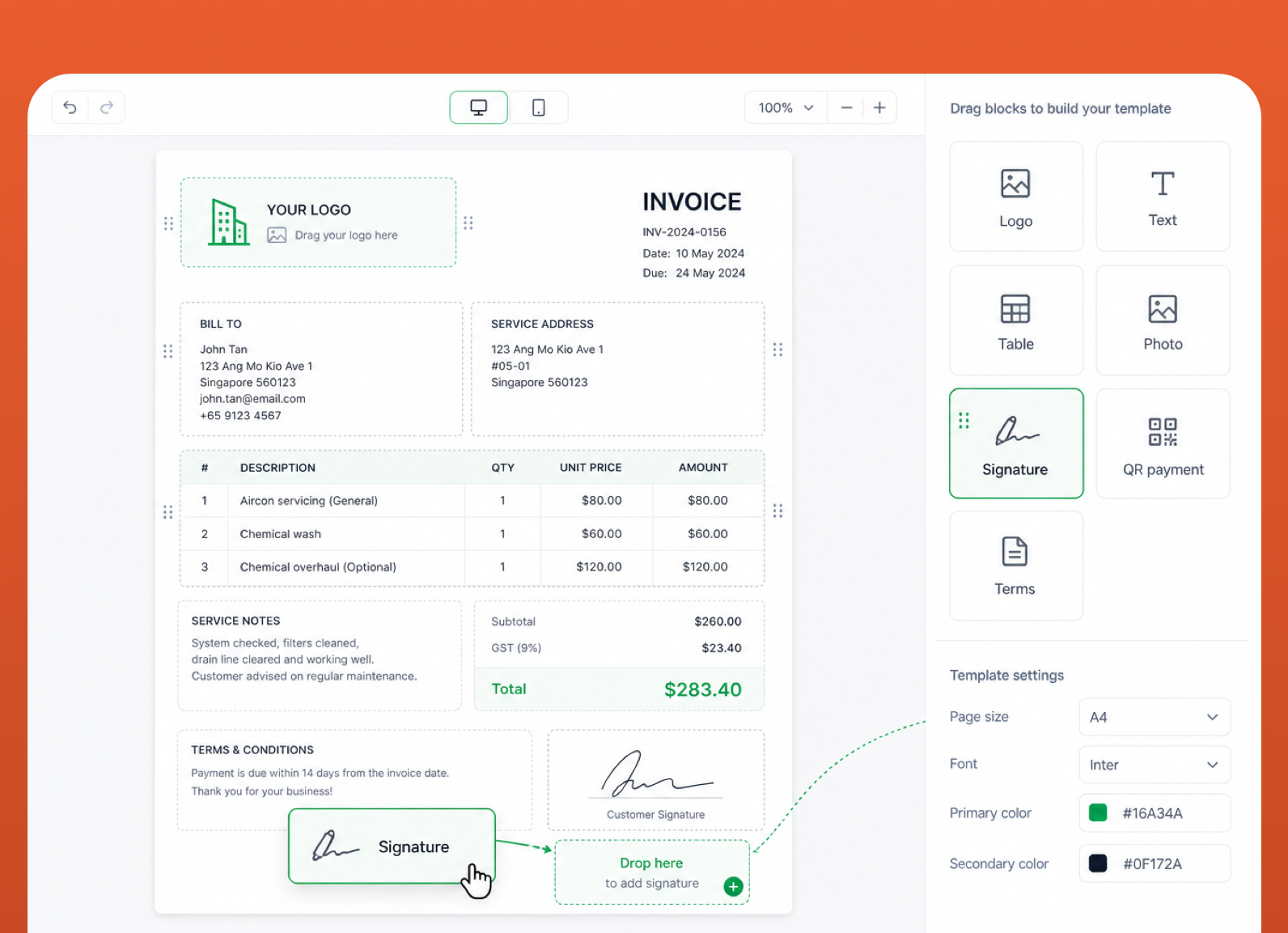
GST handled, line items auto-totalled, due dates tracked. Drop a PayNow QR anywhere on the document, customers pay by scanning.
Now in private beta · Singapore first
From message to job done.
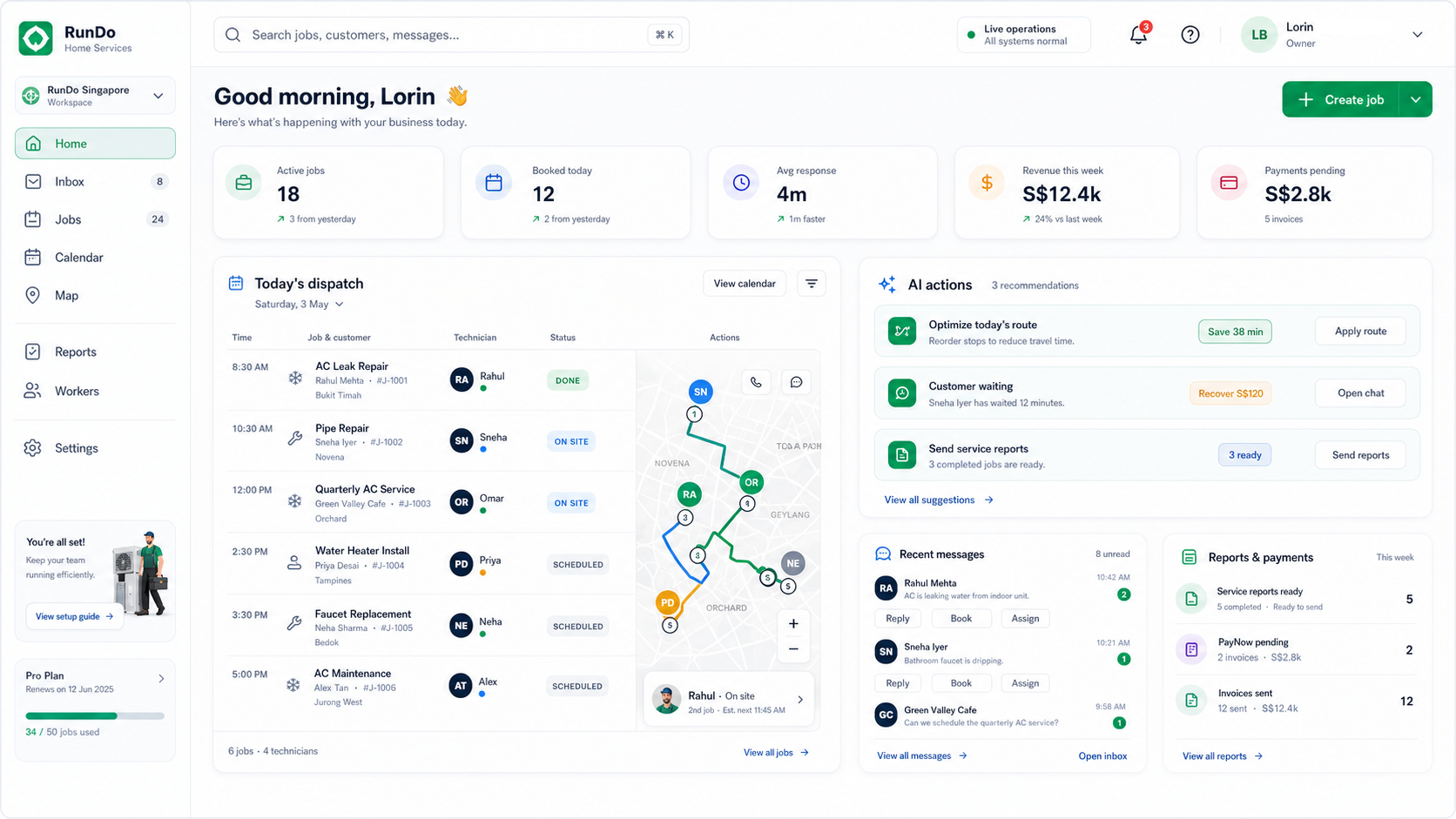
Every customer message, job, and invoice in one place. Built for service businesses that want to grow without hiring more admin.
Channels
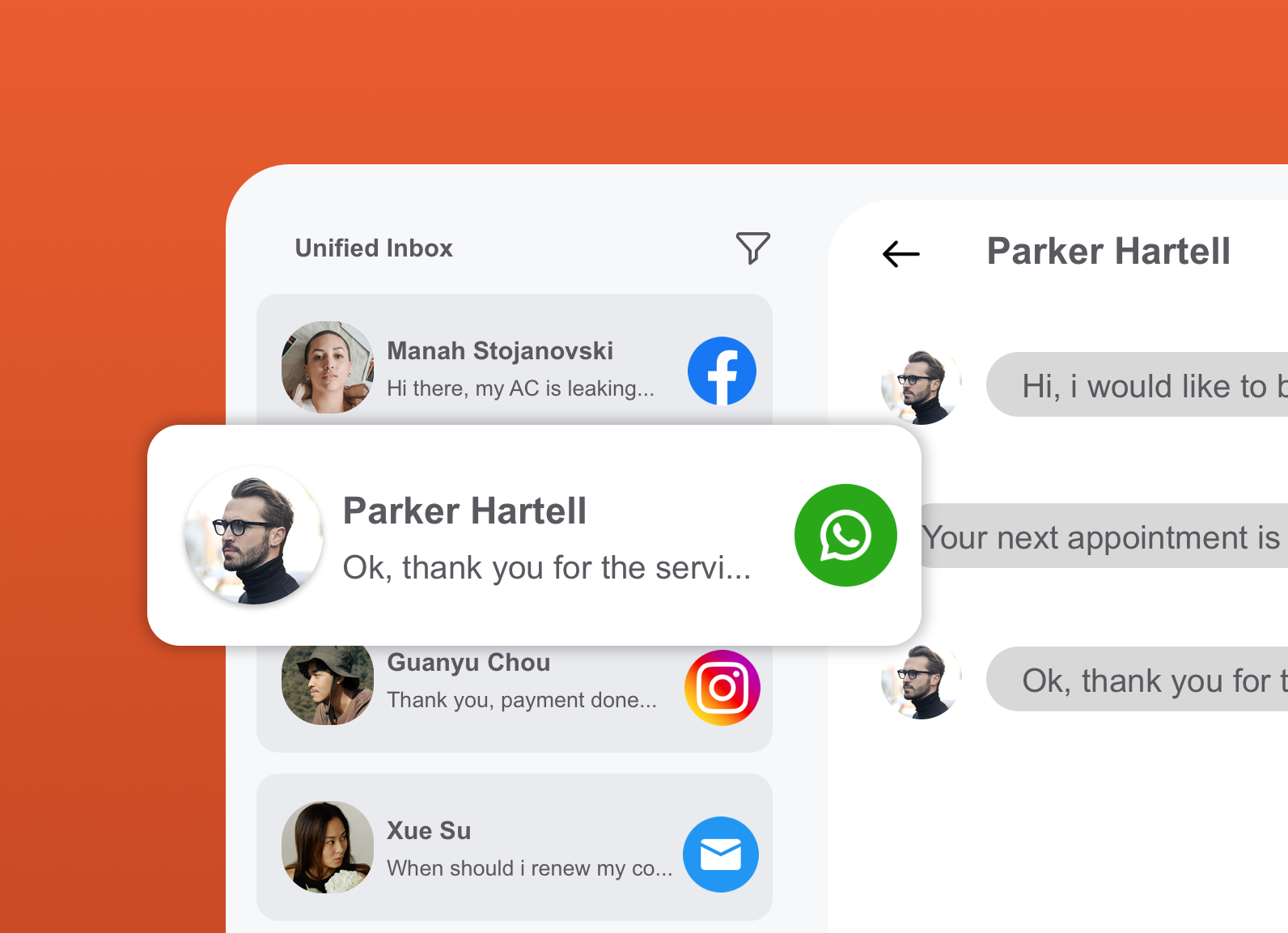
Every customer message, one inbox.
WhatsApp Business, Instagram DMs, Facebook Page, pulled into a unified thread per customer. Your tech, your owner, and your AI all see the same conversation.
Dispatch
From message to job done.
Three steps. Automated end-to-end, and at every step, your call: stay hands-on or let AI handle it.
1Step 01
Book the job
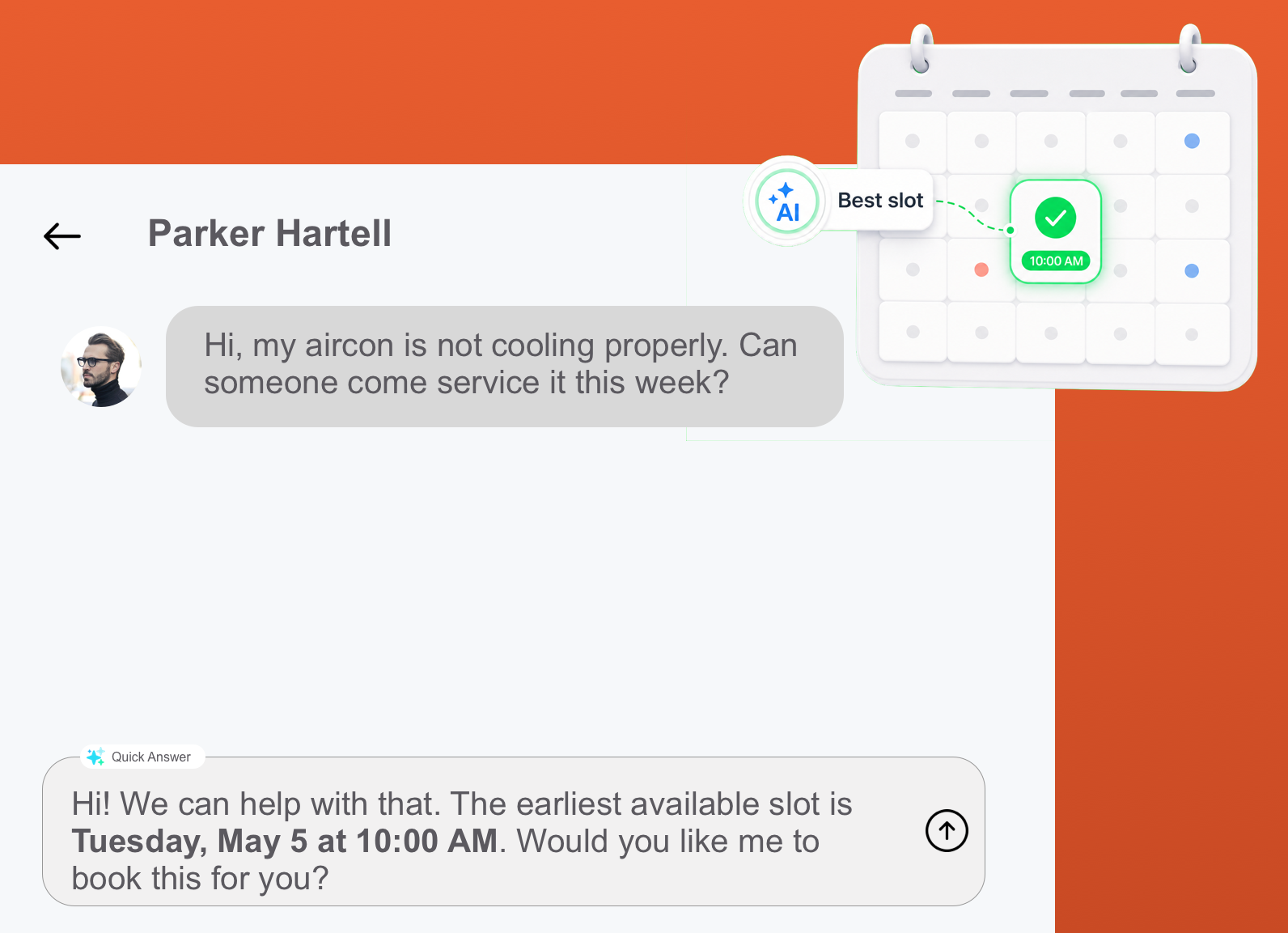
A customer message lands in your unified inbox. AI drafts the reply, suggests the optimal slot based on your team's route, and books it, or you take the wheel at any point.
You AI Auto
2Step 02
Show up & do the work
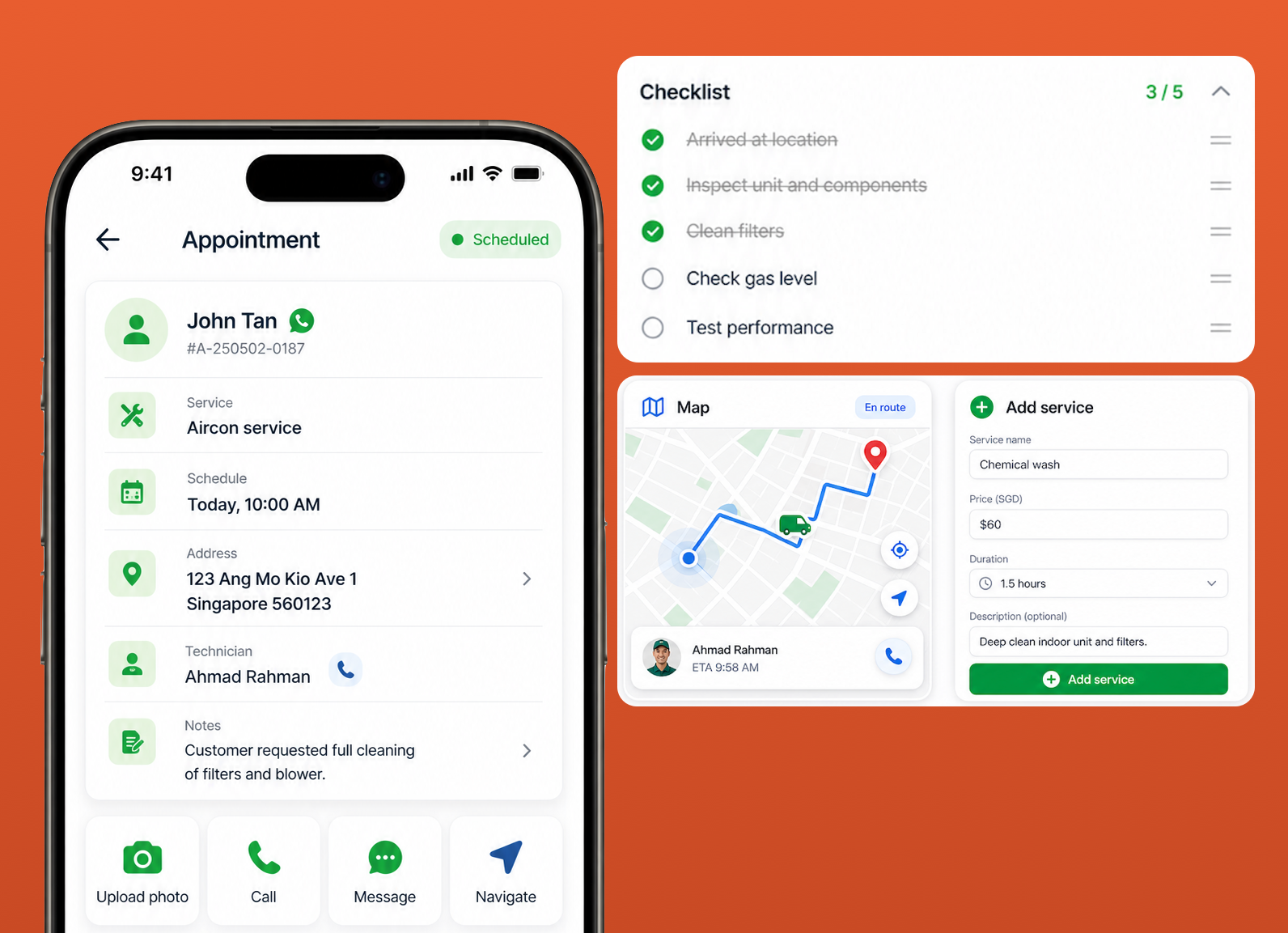
When the tech's van is 500 m away, the customer gets a heads-up. On-site, your tech captures the whole job from the mobile app, photos, notes, extra work added on the fly.
Auto Tech
3Step 03
Get paid
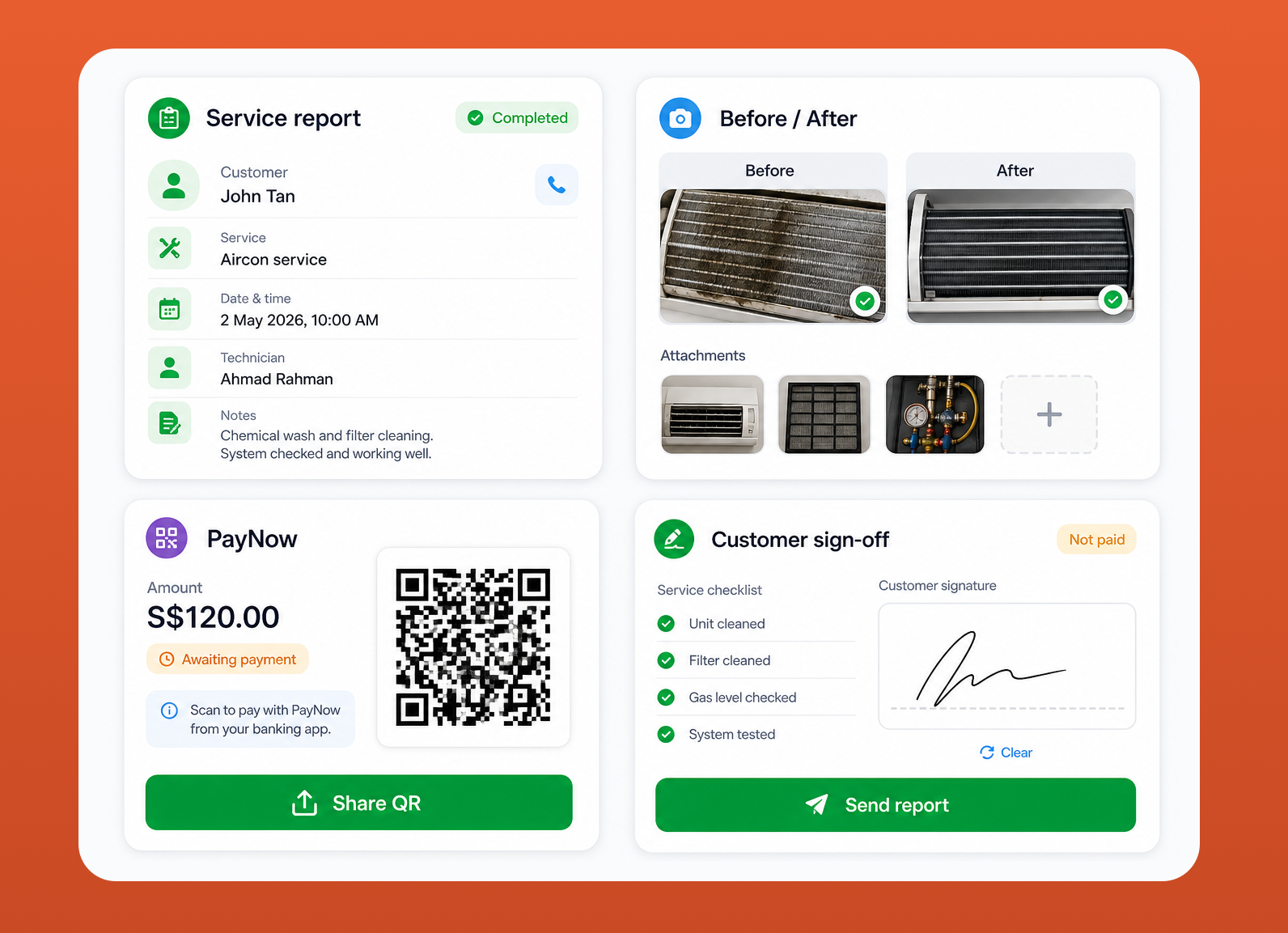
Service report auto-built from the photos, notes, parts used, and your branded template. Includes the invoice with your preferred payment method. You review and send, or let AI dispatch it.
You AI
Documents
Invoices, contracts, and quotes, that look like yours.
Upload your existing Word doc or build it in our editor. Drop in merge fields, QR PayNow codes, your logo, signatures. Send via WhatsApp or email with one click.
Rich template editor
Word-class editor in the browser.
Bold, headings, lists, alignment, tables. Insert your logo, drag images anywhere (even on top of text), and drop merge tokens like {{customer_name}} from a grouped picker. Import existing DOCX with full fidelity.
Each contract type carries its own template. Per-customer contracts auto-fill start/expiry, appointment count, pricing model, fixed, per-unit, or tiered.
Tech logs work done, parts used, before/after photos, and customer signature on the mobile app. Generated PDF auto-sent to the customer when the job closes.
Generate PayNow UEN, PayNow phone, payment links, or custom data. Insert into any document at any position.
Validity periods, deposit terms, scope of work, T&C, sign-by-link. Customer accepts and the job is booked automatically.
Optional Xero integration: push invoices as drafts (or live), pull paid status back to mark jobs complete in RunDo.
AI assist
Let AI handle the repeats. You handle the wins.
Five places AI saves you hours. Each turns on independently. Owner stays in control, human-in-the-loop on anything that matters.
Customer asks for a quote on WhatsApp at 11pm, AI replies with a structured quote based on your services & pricing, while you're asleep.
Day's jobs get reordered by drive time + traffic. Lunch breaks respected. Save 60–90 minutes a day across a 3-tech team.
New job lands → AI suggests the closest available tech with the right skill tag. Auto-assign or always require human confirmation, your call.
Tech finishes the job → AI emails the report PDF to the customer, with attached photos and CCing the owner. No more end-of-day paperwork.
FAQ, scheduling, reschedule requests, handled. Negative-sentiment messages escalate to a human automatically.
Every AI reply can be reviewed before it sends, and turned off per channel, per service, or globally. Audit log on every action.
Pricing
Fair pricing. First month free on every plan.
No setup fees. No surprise charges. Cancel anytime in your first 30 days and you won't be billed a cent.
Starter
Small service teams
$349/month
First month free, cancel anytime- Up to 10 technicians
- 2 admin users
- AI auto-replies & smart routing
- 1,000 AI replies / month
- $0.05 per reply over the limit
- Xero invoicing sync
Team
Bigger ops, bigger volumes
$549/month
First month free, cancel anytime- Up to 10 admin users
- Unlimited technicians
- All AI features
- 10,000 AI replies / month
- $0.05 per reply over the limit
- Priority support
Enterprise
Multi-location ops or 50+ technicians
Custom
- Unlimited admin users & technicians
- Unlimited AI replies (volume pricing)
- SSO + SCIM provisioning
- Dedicated account manager
- Custom SLA & priority routing
- Onboarding & integration support
Early access · invite-only
Join the waitlist.
We're rolling out RunDo to a few hundred service teams in Singapore first. Drop your email and we'll send your invite as a slot opens, usually within 1–2 weeks.
FAQ
Quick answers.
Do I need to replace my current tools?
Not all at once. RunDo plays well with Xero (invoices), Google Calendar (per-tech sync), and Traccar (GPS). Many teams roll out the inbox first, then the rest over the next month.
What does 'on the waitlist' mean?
We're rolling out invites to a few hundred service teams in Singapore first to keep the support quality high. Most invites go out within 1–2 weeks of joining the list.
How does the free trial work?
Pick a paid plan, enter your card. We don't charge anything for 30 days. Cancel before day 30 and you're never billed. After 30 days the regular monthly rate kicks in.
What happens if I exceed the AI message limit?
Each message above your plan's monthly limit costs $0.05, clear and predictable. You can also turn AI off per channel or globally if you want a hard cap.
Does the AI ever send something I haven't approved?
Only when you explicitly turn auto-send on. Default behavior is human-in-the-loop: AI drafts the reply, you tap to send. Even auto-send respects per-service overrides.
Can my technicians use this without a computer?
Yes, every tech logs into the mobile app with a username + password. They see today's jobs, capture before/after photos, log parts used, and grab customer signatures right there.
What about my existing contracts and customers?
Bulk import via CSV during setup, or upload your finished Word/PDF contract template, we keep your layout exactly and merge customer data in per contract.
Is my data safe?
Encrypted at rest and in transit, hosted in Singapore. You own your data and can export it anytime. We never share with third parties.